Fail.

Example one – forgetful screenshots

screenshot-fail

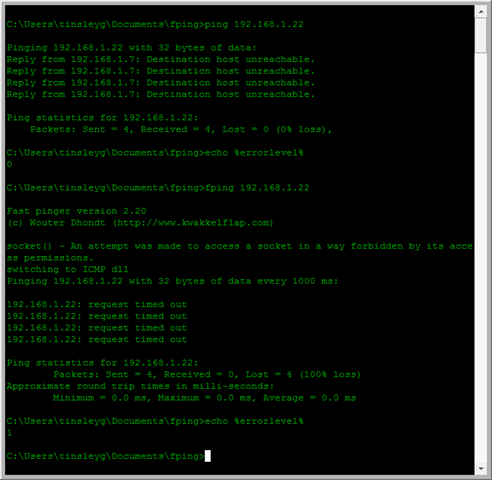
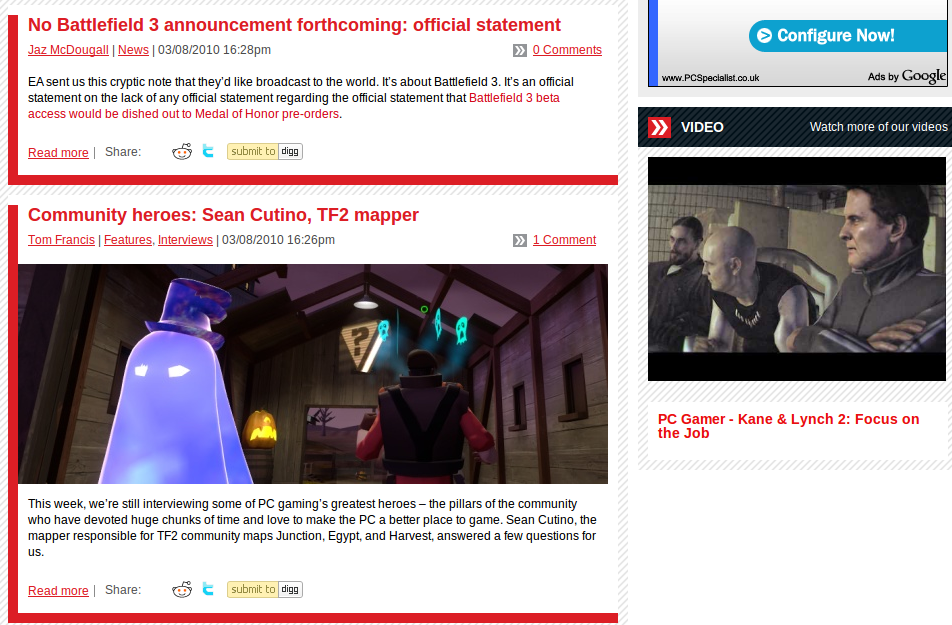
A couple of screenshots. Firstly, every now and then, people send us screenshots. They do this by sending them in word documents, which is bad enough. (Please, just send us an image file!) This example though, is quite fun.

Make sure you actually copy the screenshot in, instead of just linking it ;)

Example 2 – Infect yourself, and pay money for the privilege

Stupid-Script-Kiddies

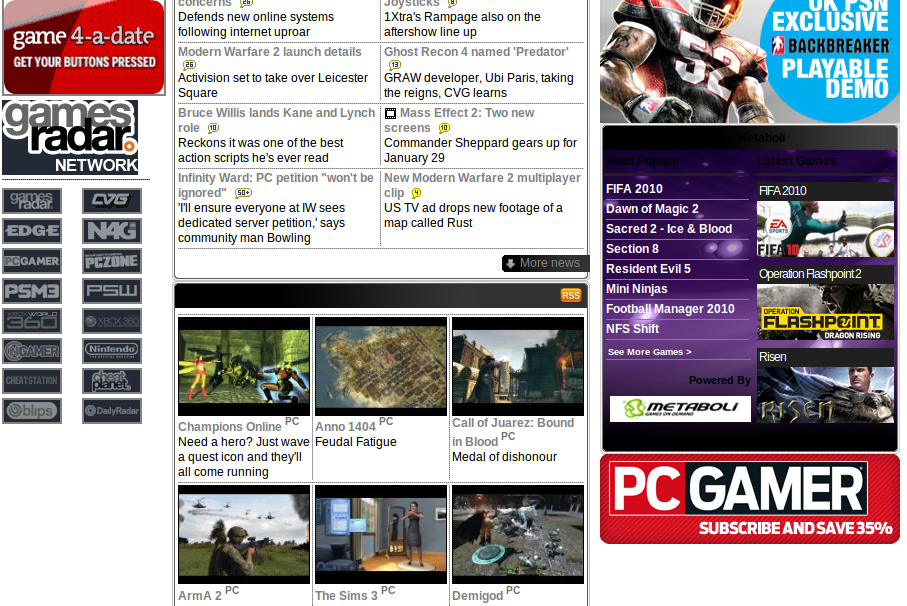
My second example, is of a website trying to extort money, by making you think your computer has been infected with a virus. These are nasty sites, and I hate them with a passion. They feed off of people’s fear of computers. The interesting thing here is, this computer can’t be infected in this way… it’s running ubuntu, their silly antivirus software looks very, very out-of-place!

(See my first post this month if you’re afraid of computers.)

Click on the image for the full screenshot. It is quite large. As you can see from the timestamp, I’ve been meaning to post this one for a while ;)

p.s. Does anyone know how to force formatting in wordpress? This post took about 10 minutes of fiddling to get the images to go some-where near where I wanted them :/ If you do, please comment! If you don’t please comment. In fact, please comment, comments make my day!

Day 1: NaBloPoMo

What a strange name for an event. Anyway, yes, this is my second attempt at the interesting experiment, of posting once a day, every day during this month.1 I expect quite a few of these posts will be small, random and useless. Sorry about that, just to warn you!

Anyway, onto more interesting things. Book review :)

Completed the “The Business” By Iain Banks the other week. Good book, though not one of his best… Gripping read from about ~60-70% of the way through. Predictable up to that point.
All about a large, democratic company, and the machinations and politics within it, as it looks to buy a small country, to attain a seat on the UN council.

Interesting and enjoyable enough read, but not spectacular by any stretch. I’ll not keep it for my book collection :)

Some other thoughts I had whilst talking to someone at church today… Working with the people I do, it’s easy to forget the fear and lack of knowledge a lot people have with computers. For me, they’re simple, far easier to understand than a human by any stretch of the imagination!

If you are ever afraid of a computer, the best thing you can do is to make a backup of all your files onto a USB stick, and then just play with your computer. Don’t be afraid of breaking anything, let your fear go. Just explore all the menus, options and settings, see what happens when you change things around. Right click on everything!

Blogging every day in the month of November

Tried this last year. Failed. Impressivly. So, trying again. I will try to blog every day this month, see where we go. Hopefully, I’ll be blogging more at the end…

phpmyadmin in ubuntu now being exploited en-masse

Update: ubuntu patched this issue a couple of days after this post. If you’re reading, thanks guys! You just made my job a lot easier :)

At some point, I might try to look at helping maintain this, and other packages like it in the ubuntu archive. No idea how, though a colleague may be able to help…

———————–

The versions of phpmyadmin in ubuntu (at least Dapper – Intrepid) are susceptible to arbitrary code execution, as the web-server’s user. A bug1 was reported on the 15th of June about this issue, and marked as high priority on the 21st.

The phpmyadmin team patched this problem in their software on May the 24th. 2

Debian patched this in their system on the 25th of June.

I tried talking to people on #ubuntu-security about this problem. They said “motu” and “we’re not interested, its in universe”. I tried talking to people in #motu, and they talked about work-arounds.

The main questions now are:

  • Please can someone work on the bug?
  • Why did it take so long between upstream report and launchpad report?
  • Why has the bug been left to the point where it is getting automatically exploited, en-masse? 3
  1. https://bugs.launchpad.net/ubuntu/+source/phpmyadmin/+bug/387215
  2. http://www.phpmyadmin.net/home_page/security/PMASA-2009-3.php
  3. http://seclists.org/fulldisclosure/2009/Jul/0021.html

Current Cost – watt hours and pachube

This is an email i sent to JT  so I apologise if it doesn’t make sense to y’all. Please ask questions if you don’t get me!

So we have this ‘Current Cost’ meter thing (free from Southern Electric) at the house. It’s a small wireless electricity meter. Well it’s more of a monitor or display actually but you get me….[insert pic].

Long story short, I’d noticed the RJ45 on the bottom and it’d got me wondering. A few google searches later and whammo i’d found what I needed. A bit of hardware, a bit of software (links on manyfacturers website!) and whammo….

I wired up the current cost (enegry meter) at the house to my laptop and it’s uploading to this Pachube (bless you) website:
http://www.pachube.com/feeds/2196

The graph is a bit useless atm (no history or dates on it :( ) but the program here:
http://apps.pachube.com/google_viz/
Could probs snazz it up a bit.
There seems to be a binary pattern from some device that is turning on and off at regular intervals and using ~100w… i wonder if it’s the compressor on the fridge/freezer as it goes on thru the night lol.

Graph of peak watts and temperature from current cost and excel

Graph of peak watts and temperature from current cost and excel

The long jittery spikes are the washing machine/dishwasher/tumble dryer (the last being the biggest draw lol).

One guy is even trying to record signatures for each appliance and then work out from the data which appliance is causing the spikes.
http://chrishodgins.tumblr.com/post/33810511/via-chart-apis-google-com-so-its-the-bank
The idea behind this is if you can work that out, you can make a pie chart of the biggest consumers…

I have more results than are uploaded; i created a funky excel file which Should update from the mdb created from one of the apps i’m using but atm i think the file is locked or summat :( . Made a pretty graph to! Also predicting the future temperature based on a polynominal curve or something lol.

All gd fun. Now i jus want one of these tiny minuture computers:
http://www.fit-pc.co.uk/fit-pc-slim.html
or this awesome plug pc:
http://www.pcpro.co.uk/news/258238/plug-sized-pcs-arrive-in-uk.html (sweet) (Ubuntu on a plug [ via Youtube])
to record/upload the results, although it would make more sense to use the ipcop or home server since they are always on and the current cost device is wireless. (unfortunately our model does not have internal data logging :( ). Don’t know how to work out kwh from current usage of watts every 3 seconds… i might be able to put something from averages tho. Any suggestions  anyone? I might just be being dumb lol.

Now all we need is the x10 plug thru devices to monitor electricty usage (by appliance) and bobs your uncle – we know exactly where the electricity is going.

IMO  (as a soon to be Building services engineer in training) this technology should be wired into all new houses in the actuall plug sockets. Want to know which of your kids (or indeed partner) is using the most electricity? ;)

The trickle usage these measuring devices could be designed to run on could easily be offset by a small(ish) solar pv installation too! (i’m talking around 10-30wh/day here ;) ).

Oh and here’s how to connect the current cost to pachube:

http://community.pachube.com/?q=node/100

On the upside i’ve also unplugged the fancy pants MPPT  solar charge controller and hooked the install back up to the basic on/off controller, and now it’s definetly shifting amps! I was a bit worried that in full sun 53watts of panels was ONLY putting through 0.3-0.1a @11.7 (i know, discharged). Hmm gonna have to find out whats wrong with fancy pants, he wasn’t cheap! :’(

Day 11 – Things learnt / remembered from our support queue today

Slow day. Nothing really to report. I went to work, worked, had an Alexander lesson. Went with a colleague to pick up lunch, helped him out with his car. (What little I could, I’m not that good with cars ;) ) Last night I fixed my friends Comicpress install.

  • Uploading a .htaccess in any other format than plain text breaks your website.
  • If you run out of space whilst repairing a MySQL table, stop MySQL and copy the database’s files to a partition with spare space. Then sym-link (ln -s REAL_LOCATION OLD_LOCATION) the database back.
  • Going through a mysql slow query log is laborious tiring work, and you see many, many duplicates. You probably only have one or two queries slowing down your database. Use mysqlsla to analyze your logs, and quickly find duplicate problems. http://hackmysql.com/mysqlsla

In other news, yoyotech.com are now on my blacklist of suppliers. If you promise to call me, then call me. There’s no way I’m going to have my new PC operational till Saturday. The only people I can put up with that behaviour for is BT, and even then I try to avoid them. (Makes me wish all companies had a 3-working-hour response time promise.)

Day 8 – I’ve not gone to bed yet..

But, it is 01:06 (And no, this post wasn’t scheduled to appear automatically), so technically, this is day 8!

I’ll probably be posting again later today, about what I’m up to tonight. (May not have the time, though, so this is my insurance :) ) I realized, staring at the image, that I’ve not said anything about my About box.

I added an about box with some really basic information about me, as I saw some when I was wandering randomly through the NaBloPoMo’s blogroll, and thought it was a good idea. I did try searching for ages for a good, nice image of me, without any luck, so I decided to use an old photo I took randomly whilst I was in Wales. 1 There’s probably a half-decent one I can use on my external hard-drive, but I won’t use that until I’ve got my new computer set-up – it contains the only copy of data (and photos) held from my previous computer (till it died ’cause the SATA RAID2 card decided to go up the wall.3).

Also, as you’ve probably noticed, I’m using footnotes! A friend asked me to look over his blog, and I recommended that he explain some of the more `in the know` details with footnotes. So, I might as well use them here. I’m sure some of the people hitting my blog don’t know what RAID is. Even if they just hit it and then leave again.

I’ll link you to his blog – Warning – it is aimed at students of Theology / Pastors. Whilst they try to make things accessible, they won’t be easy. They *may*, if necessary drop into analysing the root greek or hebrew. Feel free to comment and ask questions about things you’re not sure about – they’re not monsters and won’t bite your hand off! Here it is: http://readbetterpreachbetter.com/

Heh, you can tell their blog was setup by a techie: the main domain is NOT www., but the plain domain :) Ah, someone who understands the truth: there is no need for WWW.domain.com

Time awake so far: 17 hours, 30 minutes.

  1. I’d left the office of my then job, and wandered round a muddy, waterlogged park during my lunchtime. I got some good photos – the weir photos were taken then. But I made my shoes and trousers muddy :(
  2. Redundant Array of Inexpensive Disks
  3. It wasn’t using RAID at the time.

Day 3 – Web Comics

Good Evening happy people :) I do so like Mondays :D

For those of you who are reading this from the Ubuntu-UK planet – I’ve limited my blogs feed, so that I don’t spam you all with rambling on other subjects than Ubuntu (mainly), especially whilst I’m trying to blog once a day this month. I’ve sent this one, as I think it might be interesting to you. If you want to read my full writings, head here: http://kirrus.co.uk/ or get your RSS here: http://kirrus.co.uk/feed/

So, Web Comics. This is going to be a list of the ones I read. If you know of any good ones I’ve missed out, let me know!

http://www.xkcd.com – Nice fun stick men comic, which has a large following amongst geeks. I expect that most people reading this blog will have already seen this. (sudo sandwich!) Updates Monday / Wednesday / Friday.

http://www.cad-comic.com – Gaming / Youth / Odd / Interesting. That about sums it up. Updates Monday / Wednesday / Friday

http://www.crimsondark.com – Sci-Fi comic, another basically CG, but lots more hand-work involved than dreamland. Has got a very catching storyline. Updates Mondays

http://www.freakangels.com/ – Updates Fridays with 5-6 pages, nice one to end the working week with. Created by a professional, and is very good.

http://www.thedreamlandchronicles.com – Basic good v.s evil storyline, graphics are all CG. Updates Monday – Friday.

http://www.jaydenandcrusader.com – Hosted by me (so I’m biased), but still, its very good. Its also quite fun watching as the artist getting better at his work. (And quite amazing – look at the first comic, and the last!) Updates Mondays.

http://www.gpf-comics.com – A good comic by a sysadmin. Expect lots of technical computing themes and references. Of late, I’ve been ignoring the updates – the current storyline just doesn’t catch me. Maybe I’ve read Harry Potter too many times ;) Updates Monday / Wednesday / Friday

A couple of comics, I’ve started reading and dropped. Two examples would be misfile and earthsong.

Firefox undo close window/recover closed window

[Kirrus: Say hello to my brother, Garreth, who wrote this post. He'll be posting every now and then :) )

I am in the habit of keeping a million tabs open and having Firefox automatically restore them when I reopen

([main]\{startup}\when Firefox starts – show my windows and tabs from last time).

Unfortunately this time I left open a popup window and clicked the X close button, thereby killing all my precious tabs!

I have seen on a forum that this can be avoided by clicking File\Exit, but I’m already in the habit of Xing everything, and besides I needed my tabs back!

I found on another forum the name of the file sessionstore.bak, so I did a search and lo and behold it found a couple of session files in my Firefox profile directory. I cracked open the .bak one in notepad and there amidst loads of junk was the urls/tabs I had open.

How to

  1. I Searched for sessionstore.bak, and opened containing folder
  2. used ‘taskkill /im firefox.exe’ (yes windows xp does have a handy kill command :P ),
  3. deleted sessionstore.js to the recycle bin,
  4. renamed sessionstore.bak to .js and
  5. started firefox again.

Firefox of course falls for my fake ‘crash’ and prompts me to recover my precious tabs. A swift click later and Lo and behold my tabs were restored!

I’ve now installed session manager add in again and set the ‘undo close window’ feature. Apparently Mozilla are going to integrate the feature in 3.1. (That is 3.1 not 3.01, so not just yet :’( ).

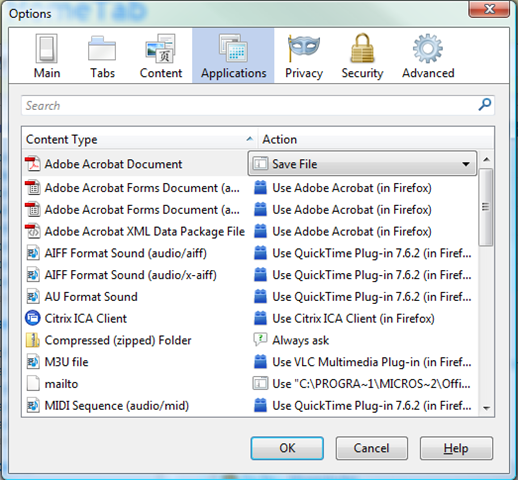
Enable Undo close window and set that number of tabs to high!

Enable Undo close window and set that number of tabs to high!

Linux command line tips & Stuff

I’ve been taught a couple of command line tips at work, and thought it wouldn’t be fair if I didn’t pass them on. So, we begin.

CTRL-R

This insanely useful trick, in a terminal or a console, will allow you to search your bash history for any command you’ve previously run and re-run it. For example, quite often on my laptop, type “CTRL-R upg” in a terminal window, which runs the following command:

sudo apt-get update && sudo apt-get upgrade -y

If you don’t know, that command updates your package repository listing (what programs have been updated), and then goes and upgrades all of the packages that have been upgraded, with the only exception of the more significant upgrades, like to the kernel. (A human has to activate those particular upgrades – and the -y tag doesn’t signify human, as that command can be cron jobbed very easily…)

CTRL-O

This one I was taught in my interview for Positive Internet. (So, I’d better not get this wrong! ;) )

If you have run a series of commands in a terminal or console repeatedly, say editing a file, doing a config check and then restarting apache (as I have done whilst I’ve been playing with my Apache2 config file for this blog), then this little switch is priceless. Basically, once you hit the up arrow to find the command you wish to use, hitting CTRL-O instead of Enter, will execute the command, and then once you’re back at the shell prompt list the next command in the series. So for the first set of commands:

vi /etc/apache2/sites-available/kirrus  [ENTER and edit the config]
apache2ctl configtest [ENTER]
apache2ctl graceful [ENTER]

Ooops, I’ve just killed my blog by way of a looping redirect! Quick, undo!

[UP ARROW, UP ARROW, UP ARROW]
vi /etc/apache2/sites-available/kirrus [CTRL-O and fix the config]
apache2ctl configtest [CTRL-O]
apache2ctl graceful [ENTER]

The benefit? The second time round, once I found and initiated the series of commands, I didn’t need to type anything, other than the changes to the config file, and the initiating control sequences. Annoyingly, you can’t just hit CTRL-O once, and then expect to be in the chain next time you hit enter – hitting enter won’t provide you with the next command in the chain once you’re finished. Although, this of course can be a good thing, if you want to return to a clean command prompt.

Hopefully one of those will be useful to you.

Ubuntu-UK Planet, Caffeine and Rambling.

For some strange reason, the Ubuntu UK planet didn’t pick up my last post as a new post. Possibly because it got a little confused with the server move and IP address change? Anyway, for those of you reading this on the planet, I have a post about a couple of the tools that come with apache2 on my blog. Not much, but hopefully interesting.

Caffeine: I’ve pretty much overdosed this evening. Head’s swimming right now, and the screen appears to be filling my vision (hence the more than normal ramblingness [yes I invented a word :) ] going on in this post). Stayed on at work for an hour and a half, pushing me closer to the tiredness limit. So, on the way home I drank a bottle of Coca Cola, (the tube section) and a small americano coffee (the train section). It kept me awake (yay!) at the cost of me being a little… jumpy at the moment. Still, it’ll wear down shortly, especially since I finished my food about 20 minutes ago. That always helps clear the caffeine effect. So, shortly I’m going to crash from my caffeine high, and be a Zombie. Hopefully won’t be that way tomorrow morning, but at least I can sleep on the train in and if I’m lucky and get a next-to-the-door seat on the tube quickly, on the tube in. (The glass to your left or right acts as a good, if a little hard, pillow. The glass behind you, unfortunately, moves too much, and gets painful quite quickly.)

Right. I can feel myself starting to slow down, so I’d better sign off before the Zombieness (Yay for creating random useless words!) comes into play.

Stay safe :)

« Previous PageNext Page »